Fitness
Every session,
read in full.
Apple Health records that you did a workout. Enva keeps everything the session actually produced, then tells you what it meant.
Coming soon to iPhone and Apple Watch.
Every workout in one place
Peloton, Orangetheory, Apple Watch. One summary.
Whatever you trained with, the session lands in Enva with its real numbers intact: heart-rate zones, TRIMP, HRV, estimated VO₂ Max, 2-minute heart-rate recovery. Next to the metrics, a written read of the session, how the load compared to your baseline and what to watch tomorrow.
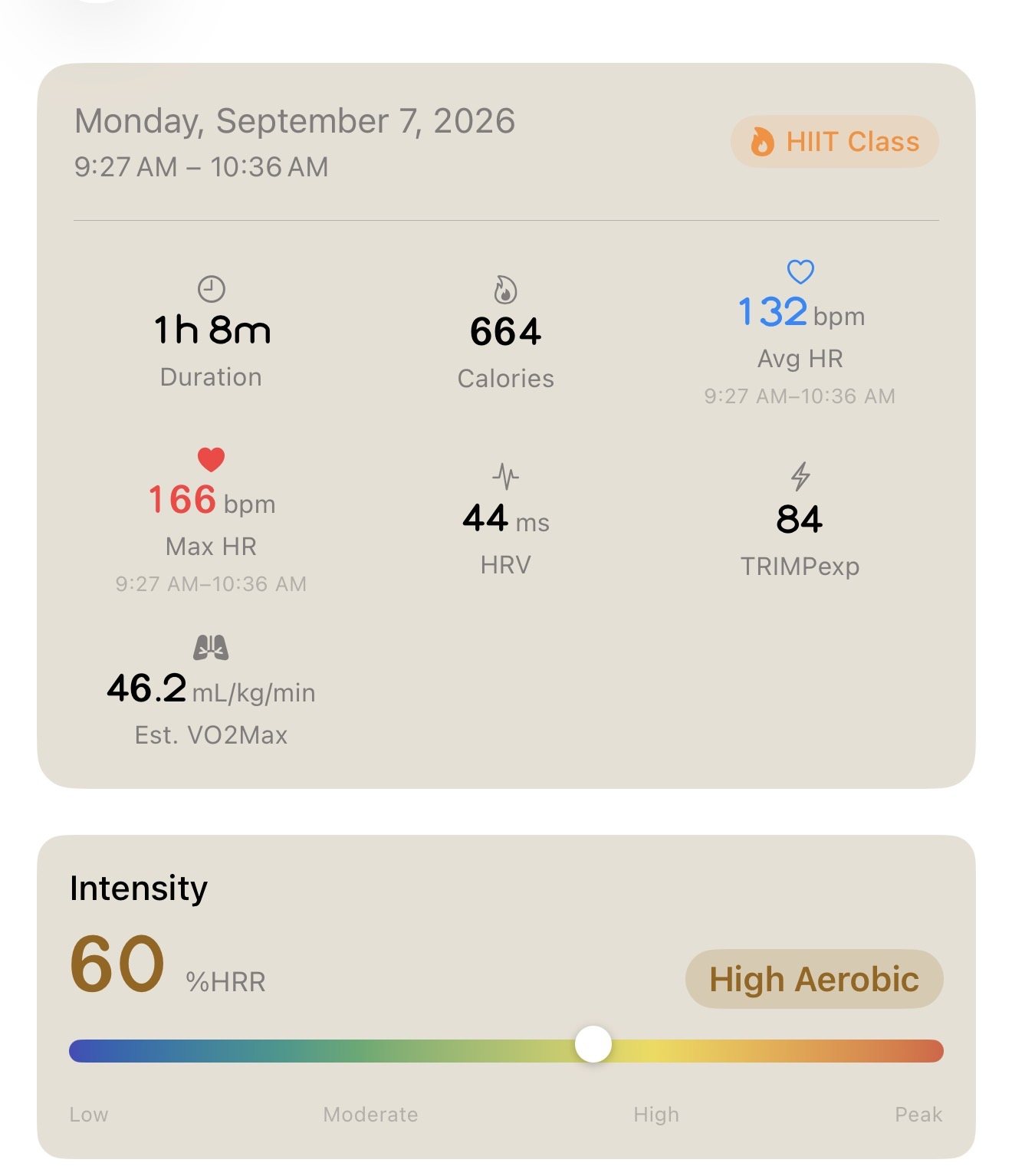
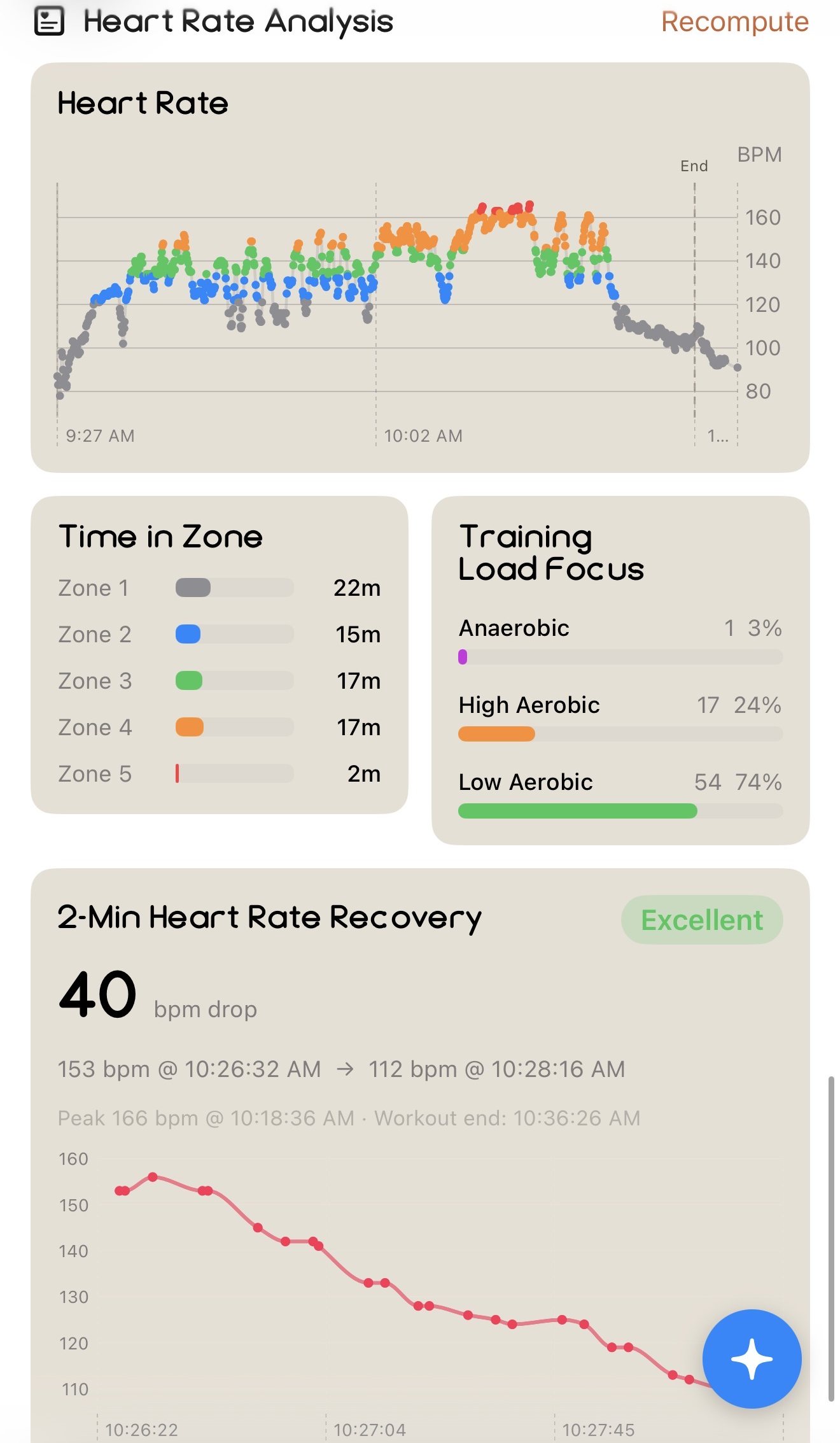
Nothing gets reduced to a calorie estimate. The detail each platform captures is the detail Enva scores.
The shape of it
Is your training the right mix?
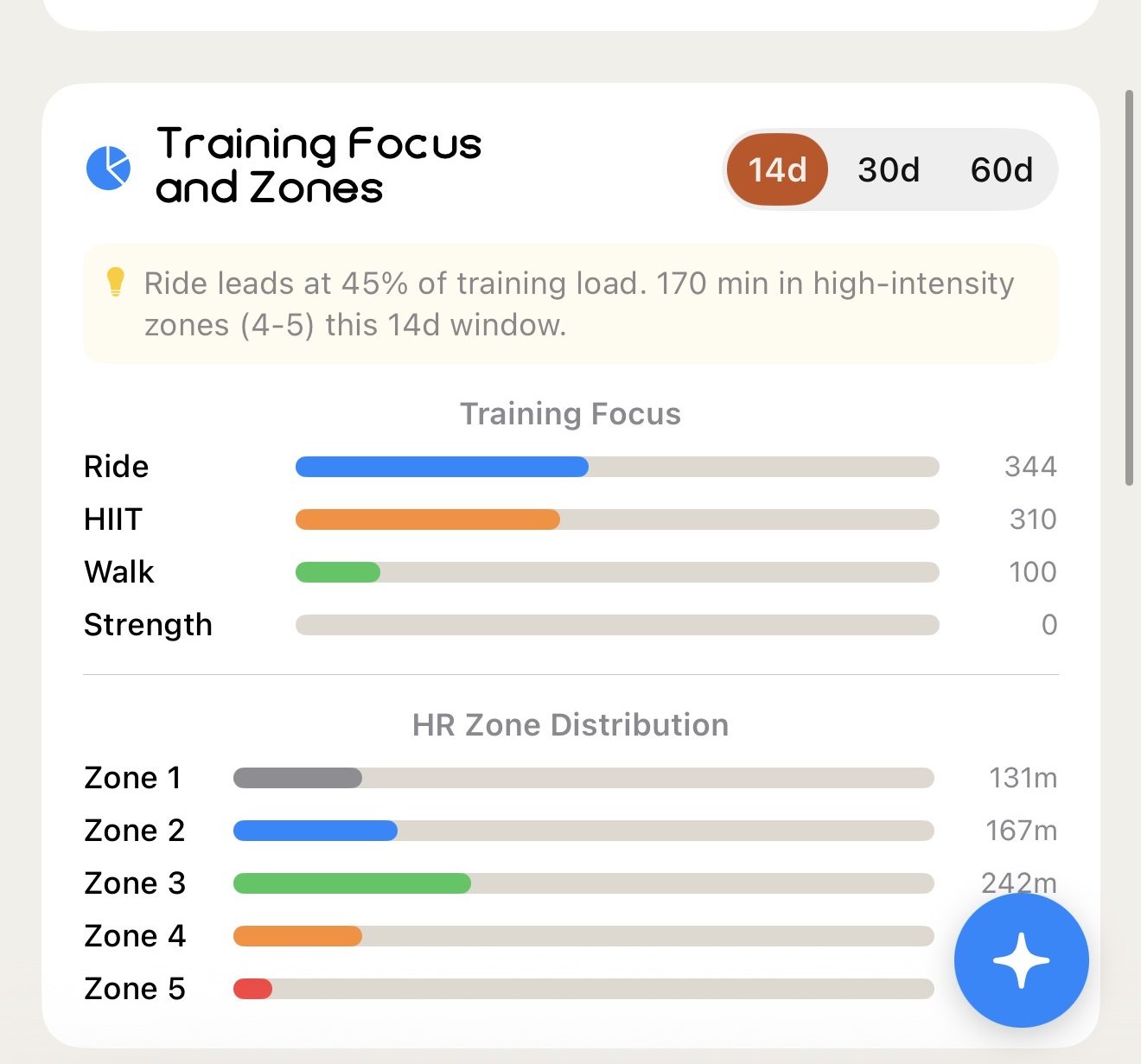
Volume alone tells you little. An athlete who only ever goes hard and one who balances intensity can log the same hours and adapt completely differently.
Enva shows the distribution: minutes in each heart-rate zone, which modalities carry your load, and whether your easy days are actually easy.
Zone distribution
Minutes in each heart-rate zone per week. Enough zone 2? Enough zone 4 to 5? The chart answers it directly.
Training load
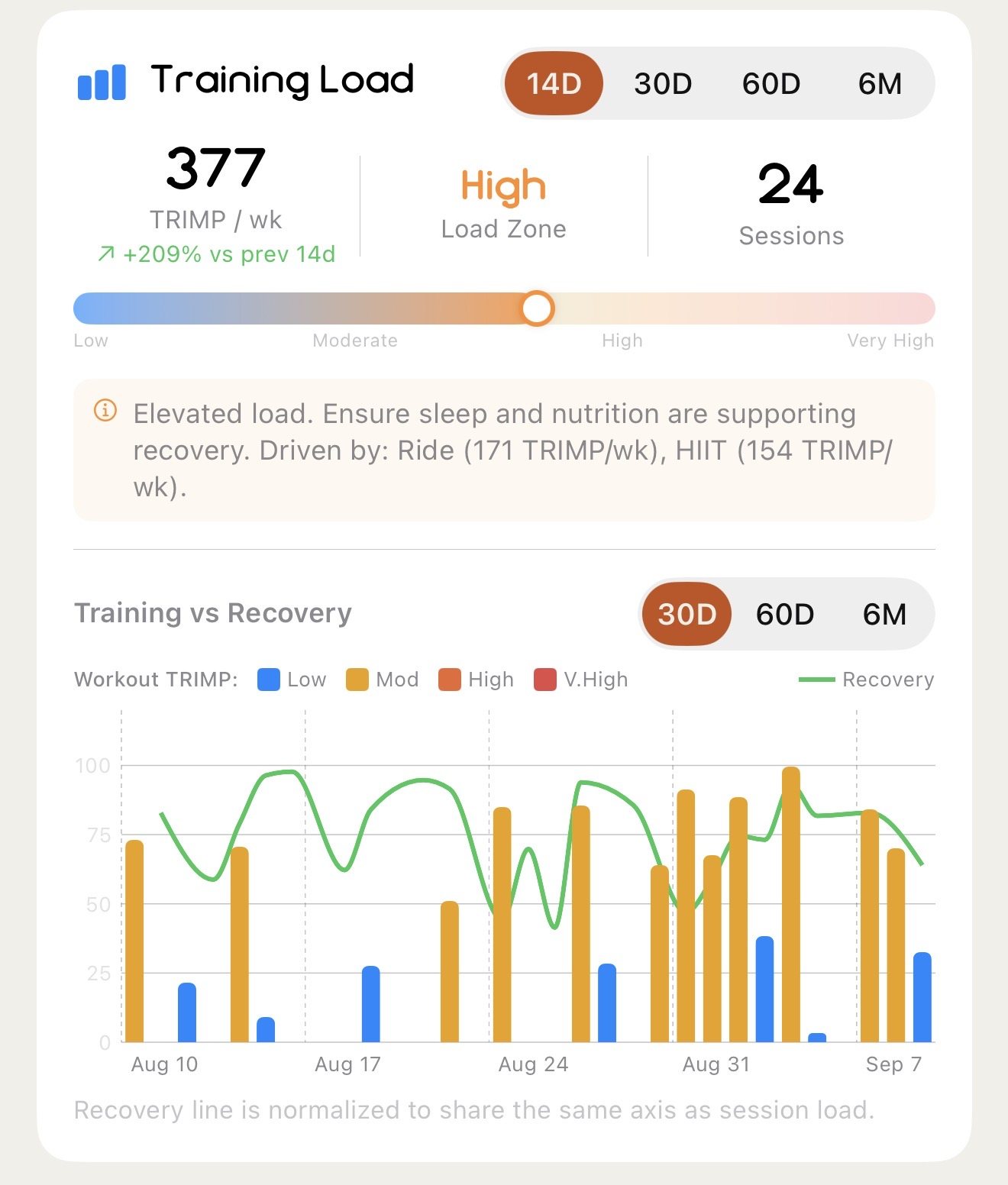
TRIMP across your sessions against a rolling baseline. This is the number that drives the Health Score's Load pillar and Recovery's day-after adjustment.
Strength progress
Add lifts inside a HIIT or class workout and track weight and reps per movement over time, with left and right sides logged separately where it matters.
VO₂ Max trend
Corrected per activity type, then trended over 90 days rather than reported as a single noisy number. Paired with 2-minute heart-rate recovery.
Training variety
How many distinct modalities you touch. Monotony is a risk factor the Biological Age Activity Profile domain scores directly.
Platform detail
Peloton output, cadence and leaderboard rank. Orangetheory splat points, rower 500m splits and tread pace. Kept in full.
Workout Builder
Build a workout, or have one built for you.
Start from a curated template, build your own from scratch, or hand Enva Intelligence the equipment you have, the time you have and the goal you're chasing. It writes the session, rounds and reps included.
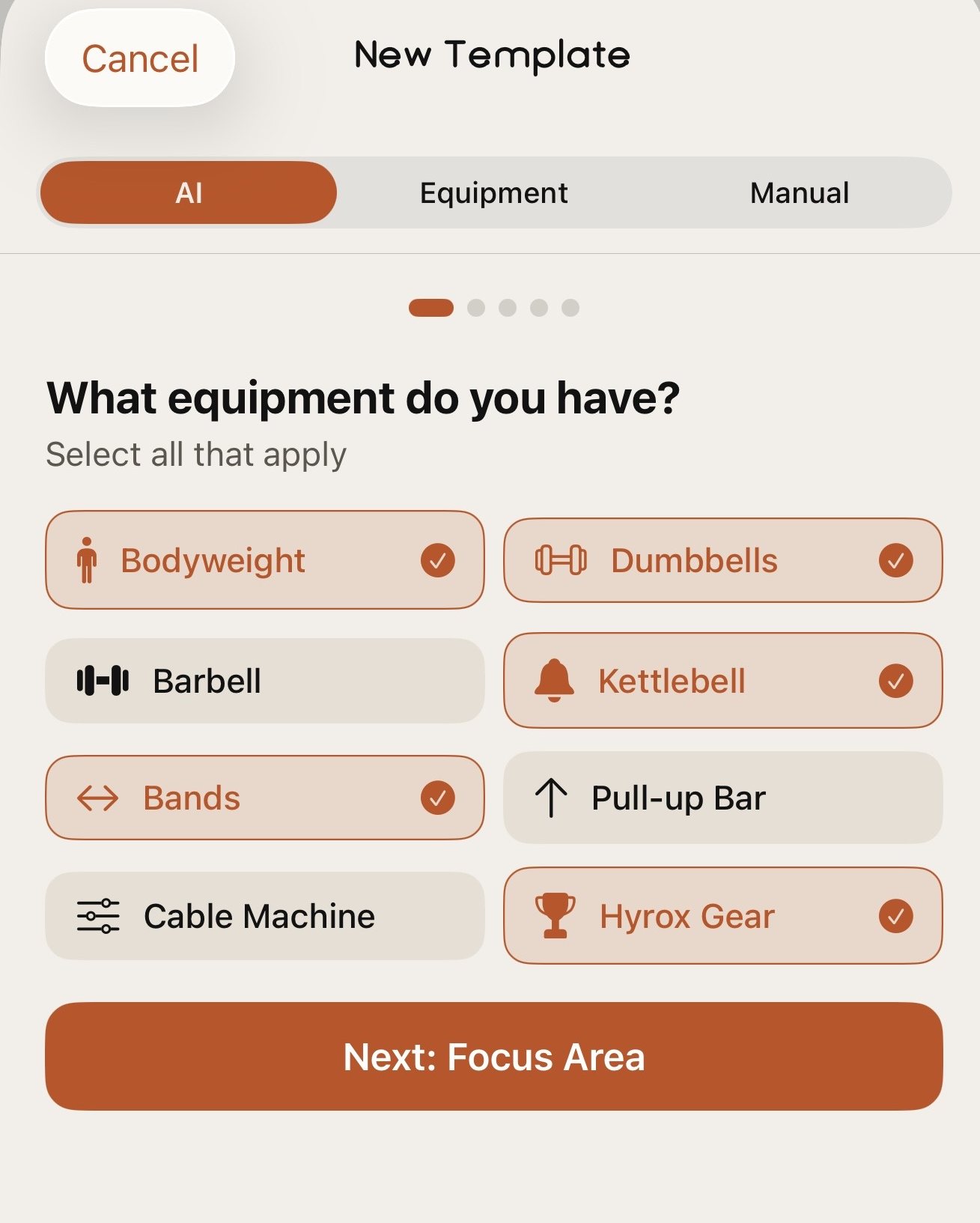
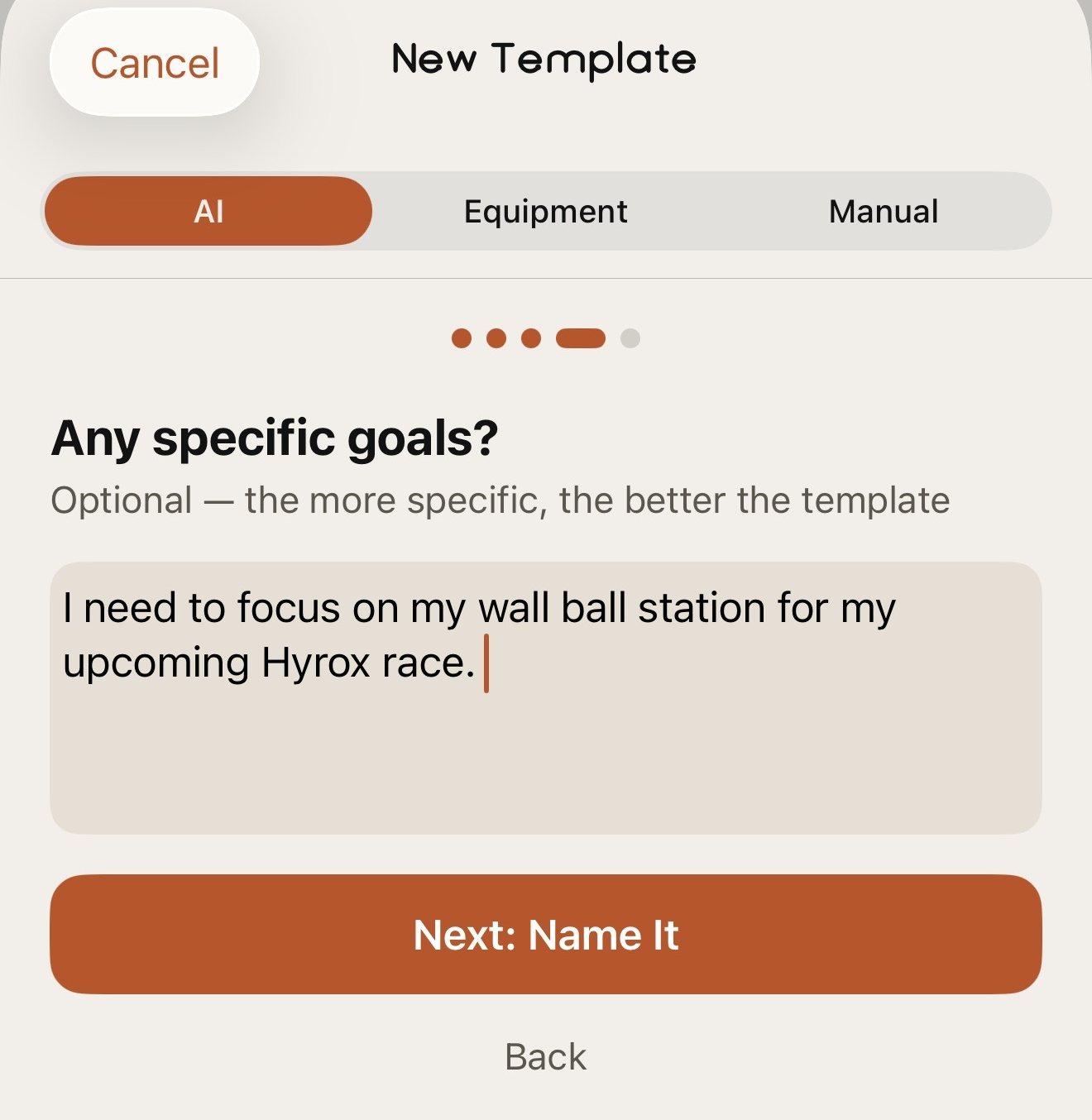
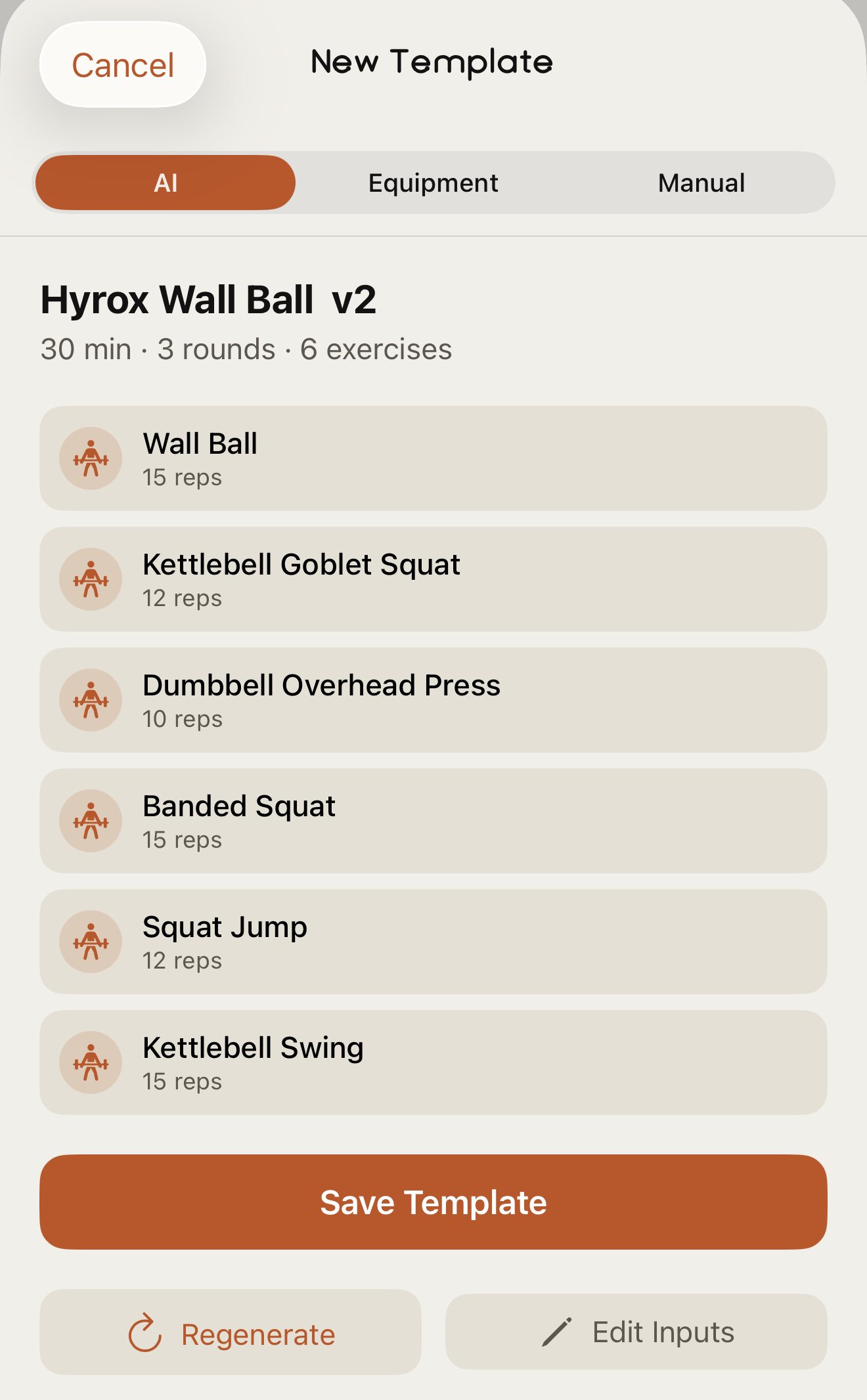
Every workout you build is available on your Apple Watch, so you can run it and record it from your wrist without going back to your phone between sets.
Where it connects
The input every output reacts to.
Health Score
Load is one of the three pillars. Zone balance and session quality decide whether a big week reads as productive or as overreaching.
Sleep & Recovery
Yesterday's load above your 30-day average lowers today's Recovery; a genuine rest day adds a boost, gated by wrist temperature.
Biological Age
Cardiovascular Fitness and Activity Profile together carry half the model. This is the input with the most leverage on the long-term number.
Your goals
Set a race or a target and the builder and the session reads weigh your training against it, not against a generic plan.
See how the pillars are weighted on the How It Works page.
Early Access
Train with the full read.
Join the waitlist and be first in line when Enva launches.
Coming soon to iPhone and Apple Watch.